
System of record
Keep dependable employee and organization information in one controlled place.
A Human Resource Management System is software that connects employee records with the workflows used to hire, manage, pay, support and develop a workforce. The value comes from the connections between those workflows—not from collecting the longest feature list.
Keep dependable employee and organization information in one controlled place.
Move requests, approvals and changes through accountable steps.
Connect reports to the underlying people, policy and transaction records.
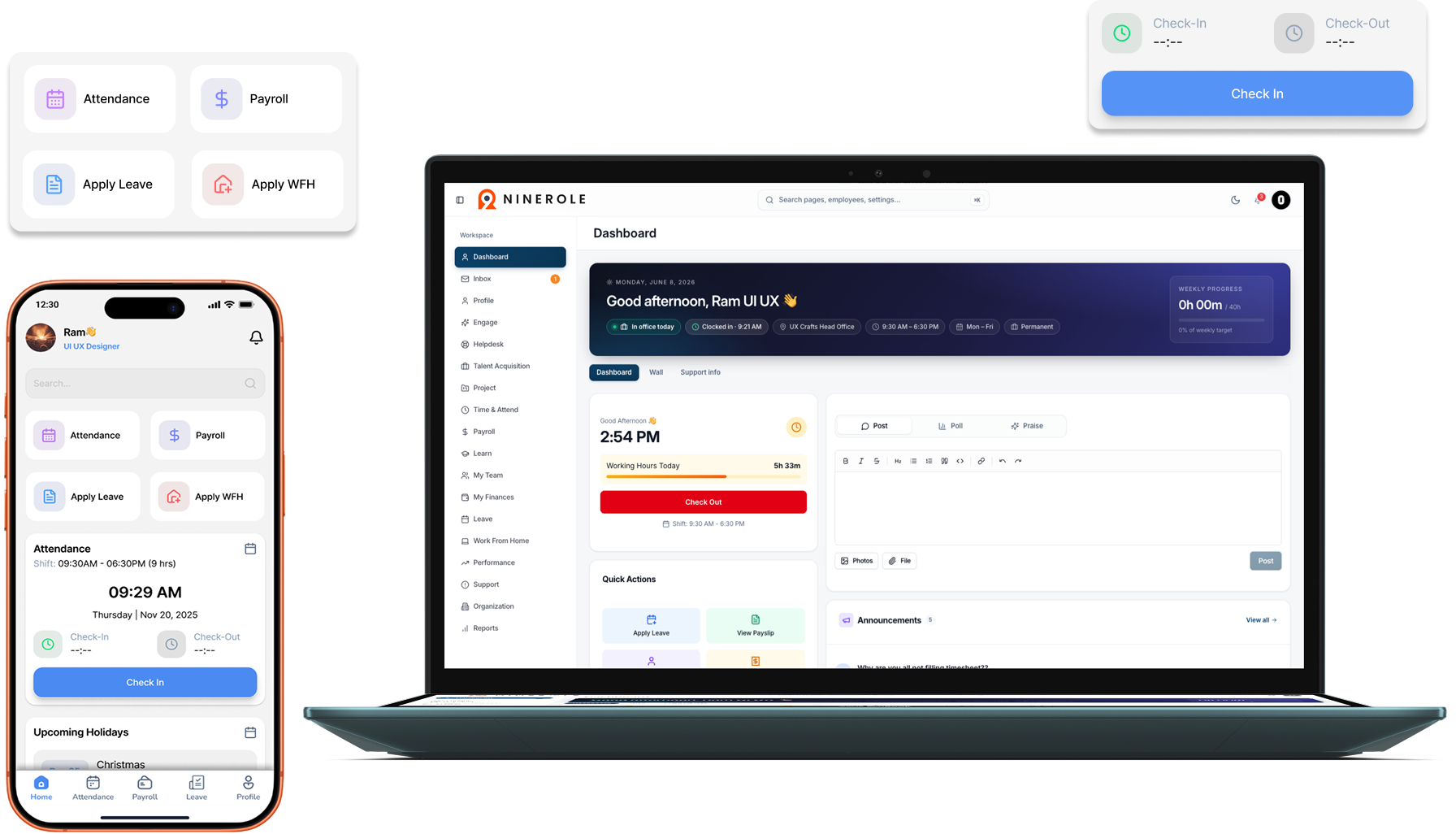
NineRole product context
The current NineRole platform presents workforce workspaces around one employee context across desktop and mobile.
01
HRMS stands for Human Resource Management System. It is a connected application for maintaining workforce data and running recurring people operations. A mature HRMS usually covers more than a digital employee directory: it controls who can act, records approvals and carries one approved change into the next relevant workflow.
02
The right scope depends on the organization, but most evaluations begin with employee data, attendance, leave, payroll, hiring and self-service. Services businesses may also need projects, staffing and timesheets; distributed workforces may prioritize shifts, locations and field attendance.
03
Consider a salary revision. In a fragmented setup, HR updates a letter, payroll sheet, employee profile and reporting file separately. In a connected HRMS, one approved change can retain its effective date and become available to the authorized workflows that depend on it, reducing duplicate entry and conflicting versions.
04
An HRMS can reduce repetitive administration, improve employee access and make operating records easier to review. Those benefits are not automatic. They depend on clean source data, clear policy ownership, sensible permissions, representative testing and continued administration after go-live.
05
A point solution may be deeper in one specialist process, while an HRMS coordinates several workforce processes around a common employee record. The decision is not always either-or: organizations should identify which workflows benefit from one system and where a specialist integration is justified.
06
India adds real operating complexity through state-specific requirements, varied work patterns and payroll obligations. Buyers should test their own entities, locations, shifts, salary structures and applicable statutory scenarios rather than accepting a generic country-support claim.
07
Begin with the workflows that create the most repeated work or risk. Document the current process, clean the minimum viable dataset, configure roles and policies, test exceptions with representative users and only then expand the scope.
Decision framework
A useful HRMS evaluation follows complete jobs from source record to approved outcome. This map separates the major operating layers and the evidence a buyer should request.
| Operating layer | Primary job | Evidence to request |
|---|---|---|
| Core HR | Maintain employee, organization and lifecycle records. | Create a joiner, change reporting lines, publish a letter and preserve the audit history. |
| Time and leave | Turn schedules, punches, leave and exceptions into approved outcomes. | Demonstrate a missed punch, overnight shift, leave overlap and corrected payroll input. |
| Payroll | Calculate, review, finalize and deliver pay. | Trace one employee from source inputs through earnings, deductions, statutory treatment and payslip. |
| Talent | Support hiring, performance, skills and development. | Follow a candidate into onboarding and an employee goal into a completed review. |
| Employee service | Give people secure self-service and accountable support. | Show profile access, requests, approvals, documents, notifications and the helpdesk trail. |
This is a workflow map, not a claim that every organization needs every module. Weight each layer by operational risk, workforce complexity and implementation capacity.
Verification trail
We prefer primary government publications and official vendor documentation. Links are provided so buyers can verify time-sensitive requirements and product claims directly.
Read our editorial standardsSAP
Definition, common HRMS scope and the relationship between HRMS, HRIS and HCM.
SAP
Definition of HRIS and an updated explanation of how HRIS, HRMS and HCM terminology overlaps.
Oracle
A second vendor perspective on the practical differences and overlap between HRIS, HRMS and HCM.
Clear answers to common evaluation, implementation and operating questions.
HRMS stands for Human Resource Management System: software used to maintain workforce data and run connected HR processes.
HR software is a broad label. HRMS usually implies a connected suite around a shared employee record, while HR software may also describe a single-purpose tool.
Many HRMS products include payroll or connect to it, but scope varies. Buyers should verify salary, attendance, statutory, review and reporting workflows using their own scenarios.
No. Growing organizations can benefit when spreadsheets and informal approvals begin creating repeated work or risk. The implementation scope should still match the team’s capacity.
Timing depends on modules, data quality, policy complexity, integrations, locations and decision readiness. A scoped rollout with clear owners is usually more reliable than an unsupported promise of instant go-live.
Continue evaluating